Showing posts with label web development. Show all posts

Friday, July 20, 2012

Joomla! 2.5: Beginner’s Guide

Book Description

! is one of the most popular open-source Content Management Systems, actively developed and supported by a world-wide user community. Although it’s a fun and feature-rich tool, it can be challenging to get beyond the basics and build a site that meets your needs perfectly. Using this book you can create dynamic, interactive web- sites that perfectly fit your needs.


Completely updated for ! 2.5, this practical guide teaches you how to create professional, appealing and extendable websites, whether you want to create a full-featured company or club website or build a personal blog site.
The Joomla! Beginner’s Guide helps beginners to get started quickly and to get beyond the basics to take full advantage of Joomla!’s powerful features. Completely updated from the first book, real-life examples and tutorials will spark your imagination and show you what kind of professional, contemporary, feature-rich websites any developer can achieve with Joomla!. This book thoroughly covers the concepts behind the software and creates a coherent picture of how the software works. This book is not about what Joomla! can do – it’s about what you can do using Joomla!.

What you will learn from this book
  • Create a feature-rich site that’s easy to expand, customize, and maintain without having to learn web languages such as and Cascading Style Sheets ()
  • Design attractive home pages that provide a quick overview of the site’s contents and direct people to the content they could be interested in
  • Engage your web visitors and turn them into active users by enabling them to register, add content, and leave comments
  • Design clear and easy navigation using menus, submenus, and text hyperlinks
  • Make full use of templates to get your site to look just right, tweaking the and customizing templates using your own logo, fonts, and colors
  • Extend Joomla!’s capabilities by finding and utilizing must-have extensions that perfectly meet your needs
  • Increase your site’s visibility for search engines by applying highly effective Search Engine Optimization (SEO) techniques
  • Secure your site from hackers and potential threats using easy-to-follow techniques
for download click here

Monday, July 9, 2012

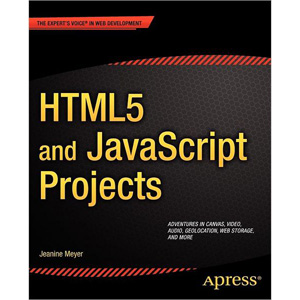
HTML5 and JavaScript Projects

 and Projects shows you how to build on your basic knowledge of and to create substantial applications.

Through the many interesting projects you can build in this book, you’ll build your skills for your future projects, and extend the core skills you may have learned with its companion book, The Essential Guide to 5. read more to download this book click here

Tuesday, July 3, 2012

CMS Comparison: Drupal, Joomla and Wordpress

All three are open-source software, each developed and maintained by a community of thousands. Not only are all three free to download and use, but the open-source format means that the platform is continuously being improved to support new Internet technologies. 


 There’s no one-size-fits-all solution here; it depends on your goals, technical expertise, budget and what you need your site to do. For a simple blog or brochure-type site, Wordpress could be the best choice (while very friendly for non-developers, it’s a flexible platform also capable of very complex sites). For a complex, highly customized site requiring scalability and complex content organization, Drupal might be the best choice. For something in between that has an easier learning curve, Joomla may be the answer. for more..

Monday, May 14, 2012

Drupal vs Joomla

Drupal v Joomla The CMS Comparison

Here's a Drupal - Joomla shootout based on a feature matrix, lower down the page. We don't normally do this as you also need to explain the numbers, so it's not a foolproof system - it always needs the explanations. In addition you really need to compare like with like, otherwise the result can be meaningless.

Thursday, May 3, 2012

DOMTab - Navigation tabs with CSS and DOMscripting

What is DOMtab?

DOMtab is a JavaScript that turns a list of links connected to content sections into a tab interface. The script removes any "back to top" links in the section and automatically hides all but the first one when the page is loaded. You can use as many tabbed menus on the page as you want to.
New: If the URL of the page links directly to one of the tabs it get automatically highlighted.
You can define with an extra class if you want previous and next links or not.
DOMtab uses Unobtrusive JavaScript and does not have any global functions or variables.see in action

Tuesday, March 6, 2012

SEO The Starter Guide!


SEO is the skill of optimizing websites for search engine friendly and getting a good search rank for various keywords, there are two major categories of SEO named On Page SEO and Off Page SEO.

On Page SEO
On Page SEO is the science of optimizing the contents of a website such that it becomes friendlier to the search engines. This technique includes the optimization of texts, images, tags, URLs, internal links, headers etc.

Important Steps
  • Make sure that all web pages can be indexed by search engines - make sure that they all have at least one link from somewhere on site.
  • Make sure that website have unique content on every single page.
  • Make sure that meta-tags are arranged correctly - web page title tags and description tags should describe the content of your different web pages.
  • Make sure you label the different headers on your web pages.
  • Make sure that web page URLs are SEO friendly. Ideally make it so that the URLs describe your content.
  • Make sure that the links within site are complete.
  • Make sure to use descriptive URLs for your images.
  • Make sure that all label of your images with descriptive.
  • Make sure to make good use of anchor text links within your content.
  • Make sure that there is only one version of your site – redirect all non www. URLs to the www. Ones or vice versa.
  • Make sure that there is only one version of your homepage - the index or default page back to domain.com.
  • Make sure the code is valid, in some instances bad code can lead to search engines not being able to properly read a page.

Off Page SEO
Off page SEO or search engine optimization is doing things off site to improve your sites search engine rankings. The only thing you can do off site to increase your rankings is build up more links. More links will generally lead to better Google Page Rank and better search engine rankings.

Important Steps
  • Make sure that this site or page relevant to what services you offer?
  • Is this site linking out to any low quality off topic sites?
  • Make sure the site or page going to send the right sort of traffic.
  • Is this site or page ranking well in the search engines?
  • Make sure this site have a lot of links from other websites?

Saturday, October 16, 2010

Securimage CAPTCHA -Telling Humans and Computers Apart Automatically


A CAPTCHA is a program that can generate and grade tests that humans can pass but current computer programs cannot. For example, humans can read distorted text as the one shown below, but current computer programs can't:

Guidelines
If your website needs protection from abuse, it is recommended that you use a CAPTCHA. There are many CAPTCHA implementations, some better than others. The following guidelines are strongly recommended for any CAPTCHA
  •  Accessibility.
  • Image Security.
  • Script Security.
  • Security Even After Wide-Spread Adoption.

reCAPTCHA | http://www.google.com/recaptcha


reCAPTCHA is a free CAPTCHA service that helps to digitize books, newspapers and old time radio shows. Check out our paper in Science about it (or read more below).


Capthas.net | http://captchas.net/


A CAPTCHA image shows a random string which the user has to type to submit a form. This is a simple problem for (seeing) humans, but a very hard problem for computers which have to use character recognition, especially, because the displayed string is alienated in a way, which makes it very hard for a computer to decode.


ProtectWebForm | http://www.protectwebform.com/

Insure yourself from spam! The Anti Spam Insurance Company - ProtectWebForm!
Spam is not delivered manually. There are many so-called spam robots (bots) which are spidering the web in order to find the form. Whenever such robots find the web form it tries to post a spam message to it. The only solution to protect your form is to add a verification image. This method will not protect you from spammers that are delivering their spam manually, but it will stop all the spam bots. Statistics show that spam delivered manually is less than 0.01% of all web form spam.

Classic ASP Security Image Generator (CAPTCHA) http://www.tipstricks.org/


Generate images with letters and numbers to make a CAPTCHA test.
  • Completely FREE Classic ASP VBScript.
  • The secure code is completely random.
  • Dynamic image processing.
  • No image file requires.
  • No components require.
  • Create a cross browser compatible BMP images.
  • You can use a custom color palette for image.

Wednesday, July 14, 2010

10 Reasons to Use Drupal

If you are interested in developing search engine friendly Web sites with a content management system, you should be taking a close look at the open-source Drupal CMS
Here are 10 reasons why you should seriously be considering Drupal for your SEO-based Web development projects.

  1. Advanced URL Control
  2. Custom Content Types and Views
  3. Revision Control
  4. Taxonomy
  5. User Management
  6. Page Titles and Meta Tags
  7. Excellent Documentation
  8. PHP Template
  9. Drupal Cookbooks
  10. Large and Friendly Community


read more

adBrite